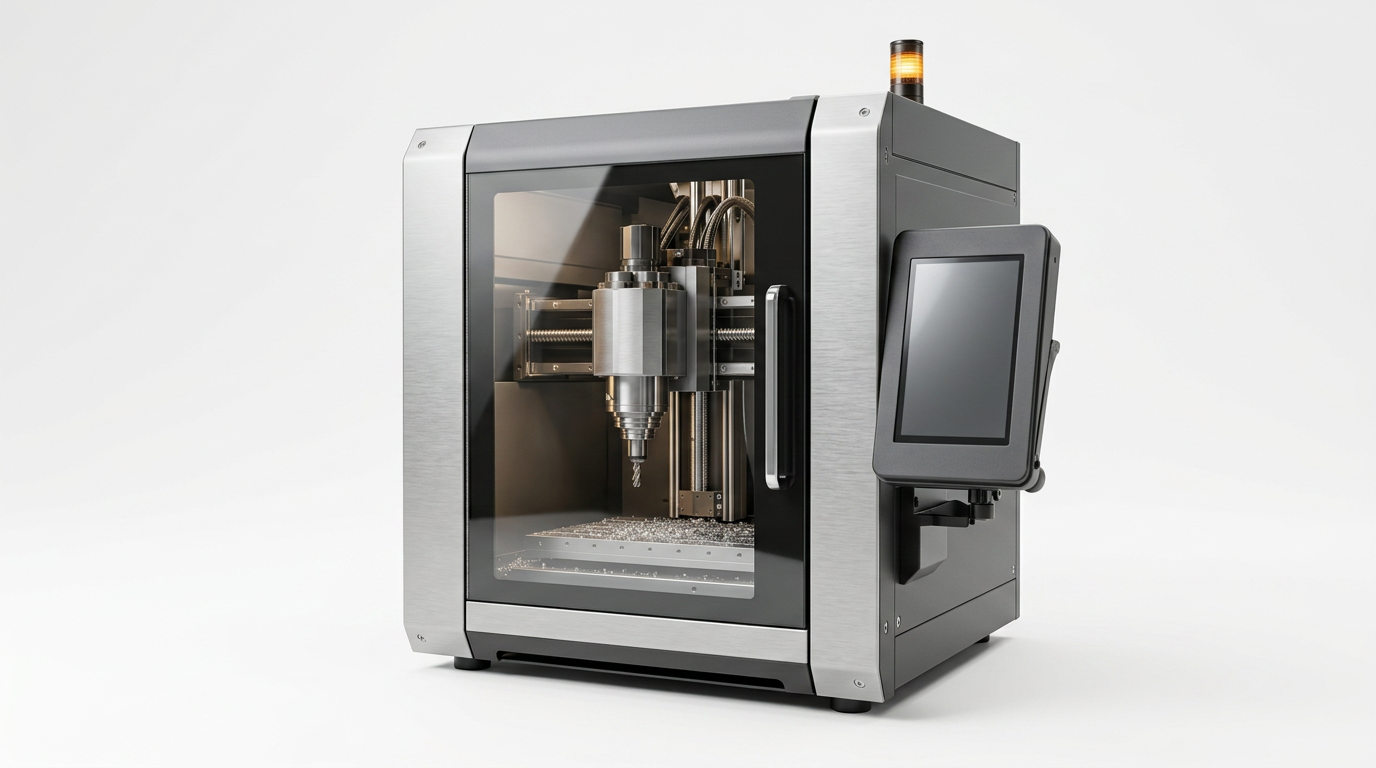
Desktop CNC for precision prototyping and compact manufacturing.
Compact, enclosed, professional-grade CNC systems designed for engineers, educators, makers, design studios, robotics labs, and small production teams.
Product overview
Professional machining, at desktop scale.
AXS Motion Desktop CNC platforms bring precision machining into everyday workspaces. With compact mechanical design, guided software, safety-first enclosure, and professional motion control, teams can prototype faster and manufacture smarter.
Key features
A professional CNC, made approachable.
Compact enclosed workspace
Clean, safe operation in studios and classrooms.
High-rigidity frame
Stiff structural design for accurate, repeatable cuts.
Precision spindle system
High-speed spindle tuned for fine detail and finish.
3-axis machining
Optimized for a wide range of prototypes and fixtures.
Optional 5-axis
Add complex geometry capability when projects demand it.
Toolpath preview
Inspect every move before chips fly.
Guided material presets
Curated parameters for metals, plastics, wood, jade, wax, PCB, and composites.
Browser-based dashboard
Control and monitor the machine from any device.
Safety monitoring
Sensor monitoring and emergency stop, by default.
Connected by design
USB-C, Wi-Fi, and Ethernet — fits any workspace.
Technical specifications
The numbers that matter.
| Axis configuration | 3-axis · optional 5-axis |
| Work area | Customizable |
| Supported materials | Metals · Plastics · Wood · Jade · Wax · PCB · Composites |
| Spindle | High-speed precision spindle |
| Software | Browser-based control dashboard |
| Connectivity | USB-C · Wi-Fi · Ethernet |
| Safety | Enclosure · E-stop · sensor monitoring |
| Target users | Engineers · educators · makers · labs · small manufacturers |
Specifications shown are placeholders pending final platform configuration.
Materials & applications
One machine. A workshop of possibilities.
Software workflow
From design file to finished part, in seven guided steps.
- 01
Import design file
- 02
Choose material preset
- 03
Preview toolpath
- 04
Run guided setup
- 05
Start machining
- 06
Monitor progress
- 07
Save project settings